 Tech Resurrection
Last Updated: October 28, 2026
Quick Summary
Custom gaming PC build services are worth it if you want to choose your own parts, plan future upgrades, or avoid handling compatibility and assembly alone. A prebuilt system suits buyers who want to start gaming quickly with a standard configuration.
- Check that your processor socket matches the motherboard before buying anything.
- Size the power supply with headroom above the combined draw of your parts.
- Confirm graphics card length against the case dimensions before ordering.
- Ask for a realistic build schedule before approving the parts list.
- Tech Resurrection's trip charge and diagnostics are $40, and no work starts without approval.
Table of Contents
- What a Custom Gaming PC Build Service Actually Includes
- Prebuilt Gaming PC vs Custom Build: Which Fits Your Situation
- Choosing Custom Gaming PC Parts That Work Together
- How Long a Custom PC Build Takes and What Affects It
- Questions to Ask Before Booking a Build with Daniel
- Frequently Asked Questions
What a Custom Gaming PC Build Service Actually Includes
If you are asking whether custom gaming PC build services are worth it, start with what you actually get. A custom build service can involve several steps, but the specific work varies by provider. At Tech Resurrection, we build custom computers using parts you select, and we do no work without your approval on the plan and the parts list.
The service is more than putting screws in a case. Compatibility is where most home builders get stuck. A processor has to match the motherboard socket, the memory has to match what the board supports, and the power supply has to handle the graphics card under load.
Ask any provider what happens after assembly. You should receive a computer that boots cleanly, has current drivers installed, and has been tested for heat and stability. Daniel walks you through how the machine is set up so you know where things are if you ever need to adjust them.
Prebuilt Gaming PC vs Custom Build: Which Fits Your Situation
A prebuilt gaming PC is ready to use out of the box. A custom build lets you choose each component. Neither is automatically better. The right choice depends on how you plan to use the machine and how much you want to be involved.
Prebuilt systems are often the simpler path if you want to start gaming quickly and do not need specific parts. Manufacturers assemble them in bulk, and the components are chosen to work together. The trade-off is that you may pay for parts you do not need, or get a graphics card or memory configuration that is not ideal for your games.
A custom build fits better when you know which games you play, which resolution you want, or which parts you already trust. It also makes future upgrades easier, because you know what is inside. The trade-off is that you carry more responsibility for compatibility and assembly, unless a service handles that for you.
Here is a practical way to decide:
- Choose prebuilt if you want to play soon, have a limited budget for research, and are happy with a standard configuration.
- Choose custom if you have a specific performance goal, plan to upgrade later, or want parts you have chosen yourself.
- Consider a build service if you want custom parts but do not want to handle assembly and troubleshooting alone.
Choosing Custom Gaming PC Parts That Work Together
The most common mistake in a home build is buying parts that look good on paper but do not fit or work well together. Start with your processor and motherboard, since those two decide which memory and expansion slots you can use. Then choose a graphics card that matches your target resolution and frame rate, and size your power supply with headroom above the combined draw of your parts.
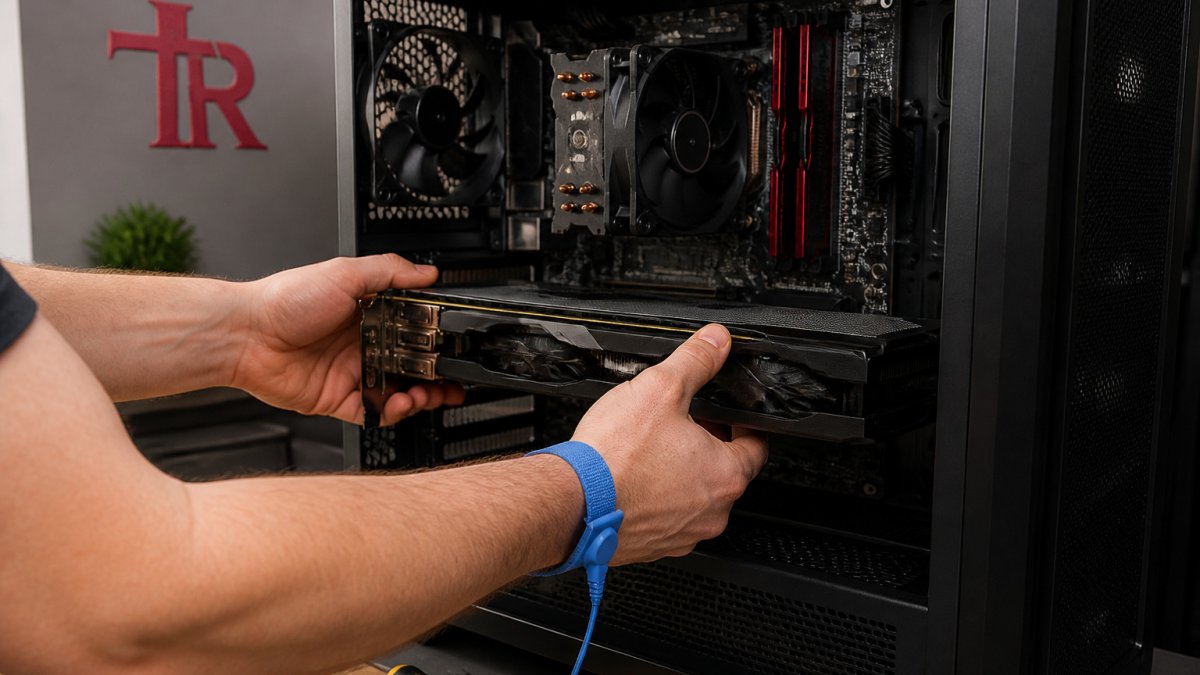
Case size also matters. Long graphics cards and large cooling units do not fit every chassis. Check the dimensions listed by the manufacturer before ordering, and leave room for airflow.
Watch out: a power supply that is too weak can cause crashes that look like software problems. If a new build restarts during gaming, check the power supply first.
Here is a summary of the main parts and what to check for each:
| Part | What to check | Common mistake |
|---|---|---|
| Processor | Socket matches motherboard | Buying a chip the board cannot support |
| Motherboard | Memory type and slots | Choosing memory the board does not accept |
| Graphics card | Length and power connectors | Card too long for the case |
| Power supply | Wattage with headroom | Undersized unit causing shutdowns |
| Cooling | Compatibility with socket and case | Cooler that does not clear the memory |
Using a Gaming PC Compatibility Checker
Online compatibility checkers can catch many problems before you buy. Enter your processor, motherboard, graphics card, and case, and the tool flags conflicts such as socket mismatches or clearance issues. Treat the results as a first check, not a final answer. Confirm the key specifications on the manufacturer's own product page, since listings are sometimes out of date.
How Long a Custom PC Build Takes and What Affects It
Several factors can change the timeline:
- Parts availability and shipping delays
- Whether your chosen parts need a BIOS update before they work
- The number of components being installed and tested
- How long the stress tests run before the machine is handed back
Ask your provider for a realistic schedule before you approve the parts list, so there are no surprises.
Questions to Ask Before Booking a Build with Daniel
Before you book, it helps to know what to expect. Daniel Arfsten runs Tech Resurrection himself, so you will deal with him directly from the first call to the final handoff. Consider asking:
- What is the total cost, including any diagnostic or trip charges? Tech Resurrection's trip charge and diagnostics are $40, and no work starts without your approval.
- Will you check compatibility of my chosen parts before I buy anything?
- How will you test the machine for stability and heat before I pick it up?
- Can you help me if I want to upgrade the computer later?
- Do you service both Windows and Mac systems?
If you want to understand how the diagnostic process works before you commit, you can learn how computer diagnostic services work. For more practical tech guidance, you can also browse computer repair and networking tips from Tech Resurrection.
Tech Resurrection offers in-home help across Metro Milwaukee, so you can talk through your build without carrying parts across town.
Frequently Asked Questions
What does a custom gaming PC build service include?
Tech Resurrection builds custom computers using parts you choose. Ask what the service covers before you agree to anything, so there are no surprises about what you are paying for.
Is it cheaper to build a gaming PC yourself or have one built for you?
Building it yourself involves your time and the risk of a wrong part or a damaged component. Whether a build service is worth it depends on your confidence and how much time you have. Contact Tech Resurrection for a quote.
What should I look for in a custom PC builder?
Look for clear communication. Tech Resurrection provides in-home and workshop service across Metro Milwaukee and does no repair work without your approval.
